

What CaseLens does
CaseLens turns a set of before and after photos into a gallery of cases that visitors can browse and filter. It adds its own Gallery Cases post type and a Procedures taxonomy, so your cases stay apart from posts and pages. Each case holds any number of before and after photo pairs plus the details you choose, and visitors can narrow the gallery by procedure, by those details, or by case number. It needs no page builder, no custom field plugin and no particular theme.
Who it suits
Features
A post type of its own
Gallery Cases get their own admin menu, list columns and editor, so before and after cases never get mixed in with blog posts or pages.
Procedure categories
A hierarchical Procedures taxonomy groups your cases, with parents and children. Nest them for a two-level menu, for example Body, then Tummy Tuck.
Before and after photo pairs
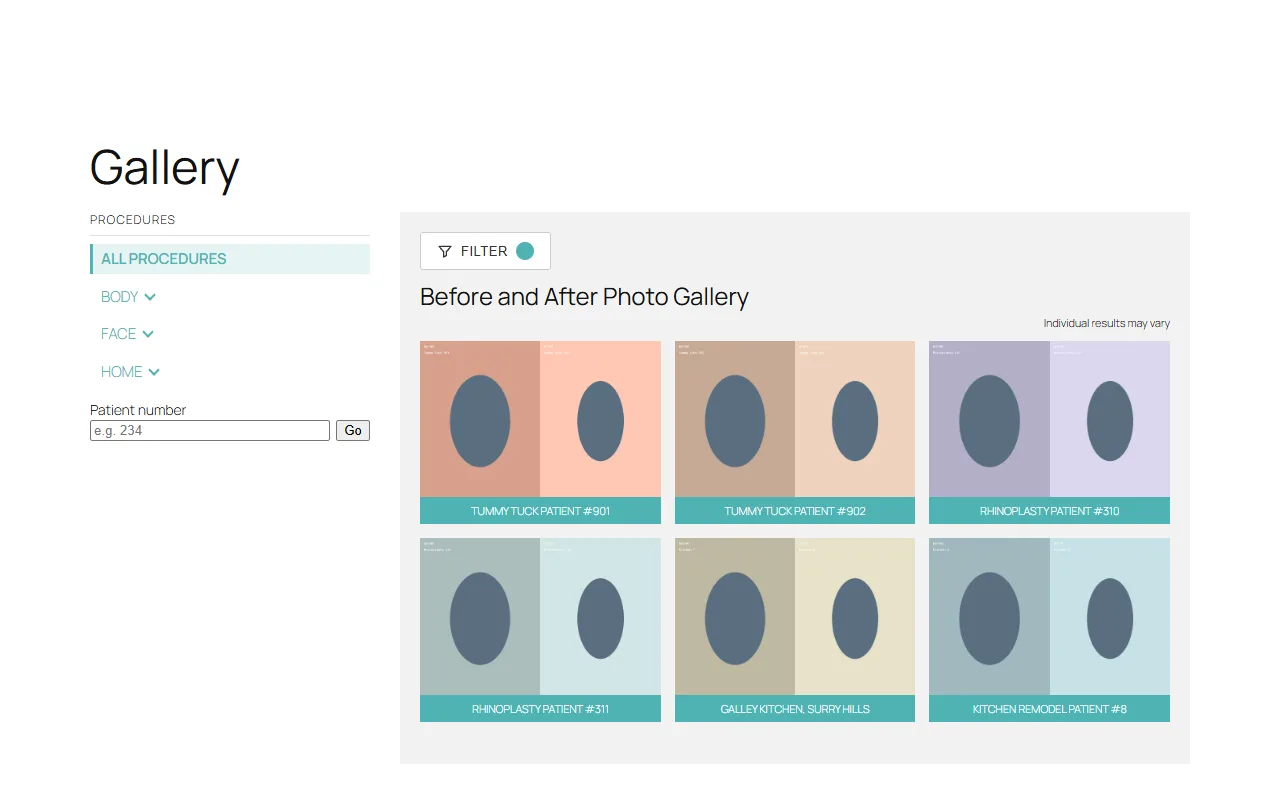
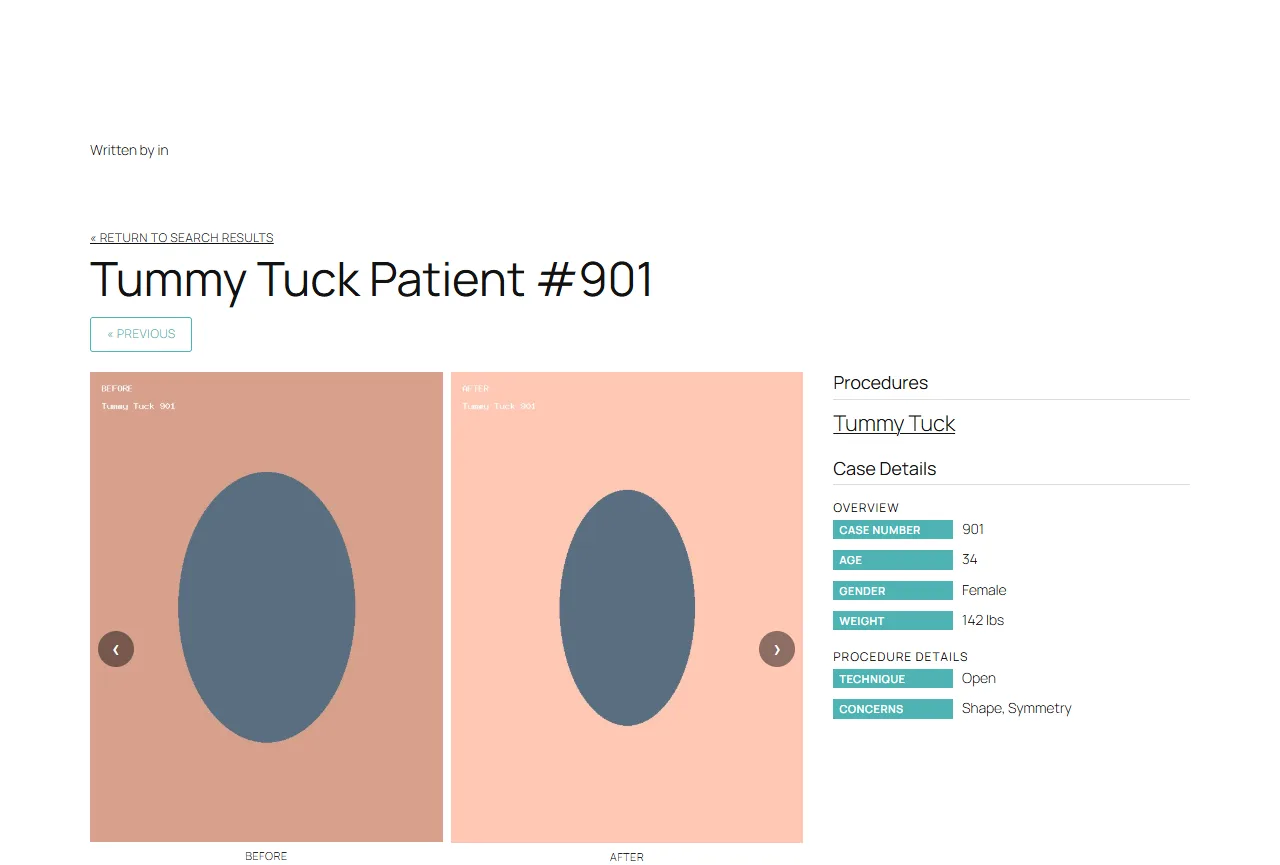
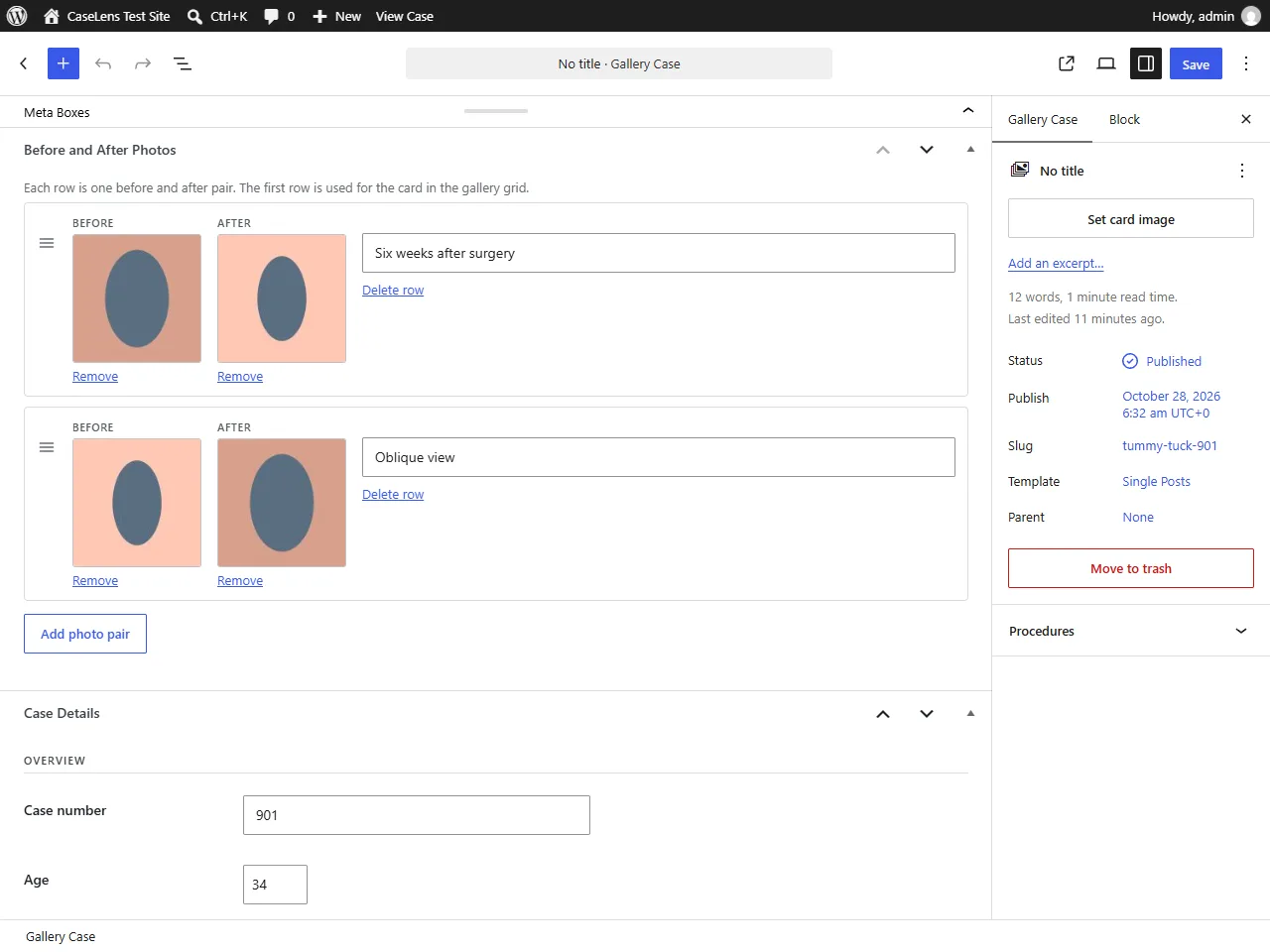
Add as many pairs as a case needs, straight from the media library, with an optional caption on each. Drag to reorder. The first pair becomes the card in the grid.
Case fields you define
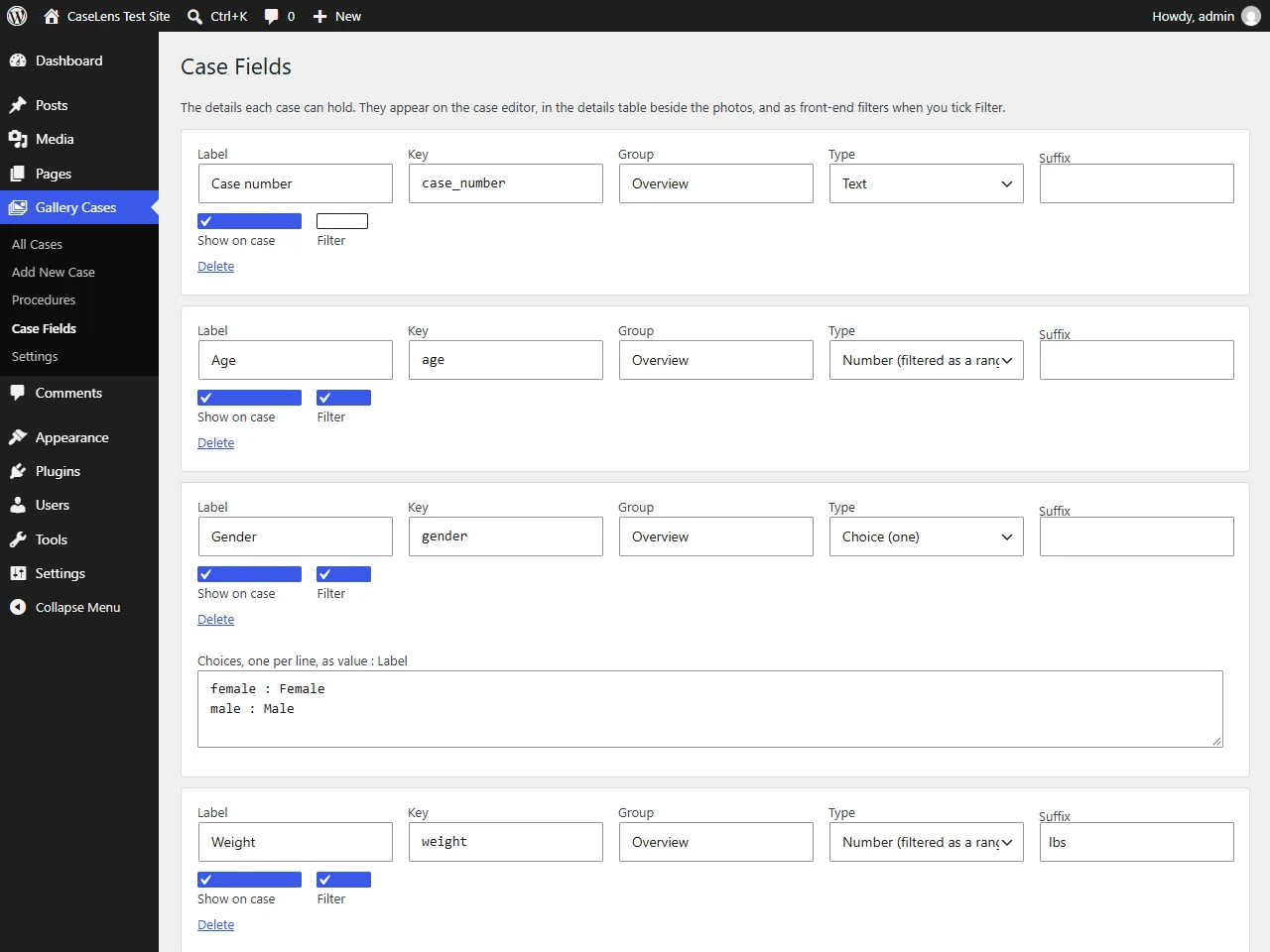
Text, number, single choice and multiple choice fields, grouped however you like. They fill the details table beside the photos and power the filters.
Filters built from real data
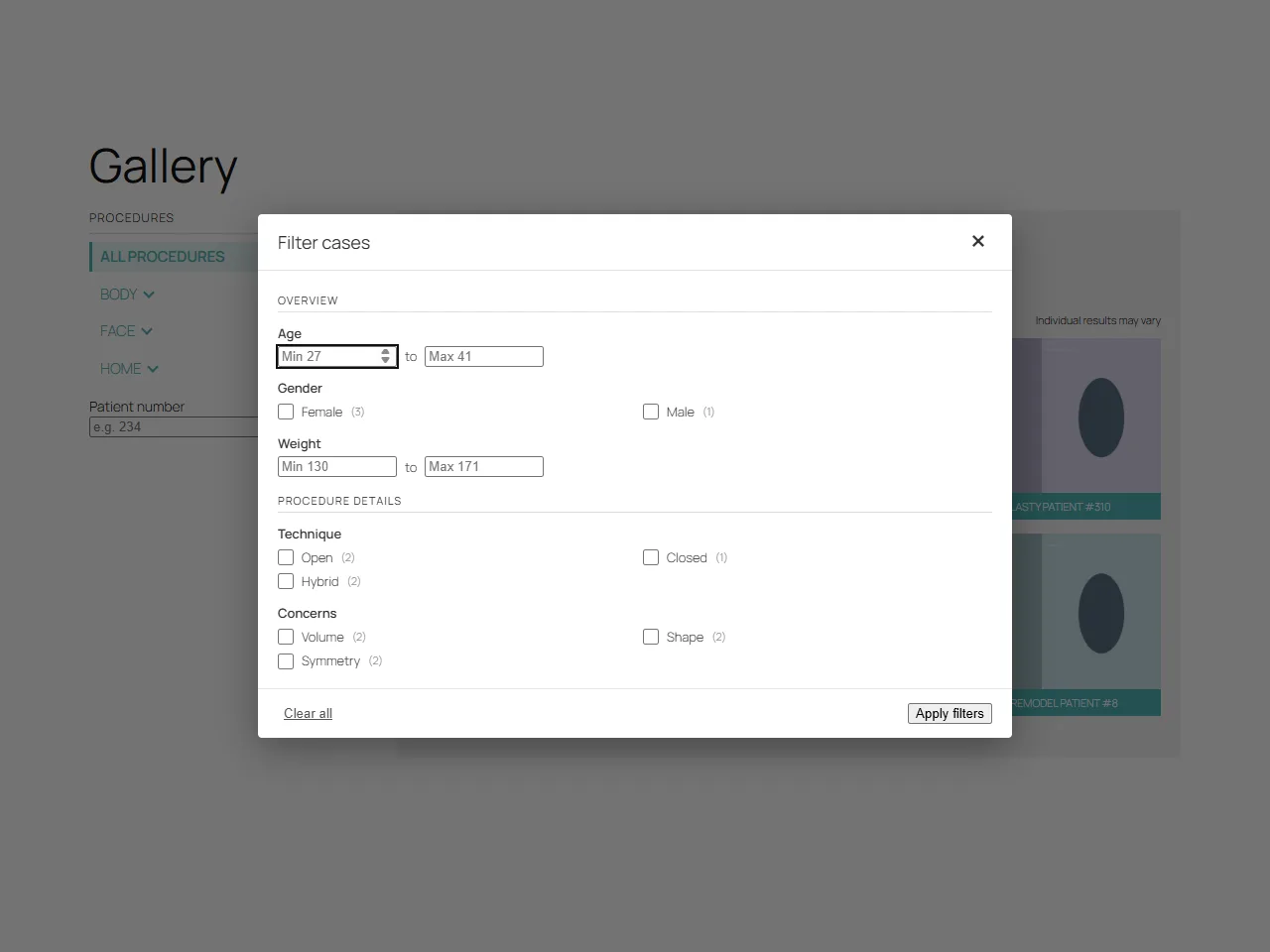
Tick Filter on a field and it shows up in the filter dialog. Only values that published cases actually have are offered, with counts, so visitors never filter their way to an empty grid.
Fast, crawlable gallery
The first page of cases is rendered by PHP, so visitors and search engines see it without JavaScript. The script then adds procedure switching without a reload, the filter dialog and Load more.
Clean URLs and redirects
Cases live at /gallery/, /gallery/procedure/ and /gallery/procedure/case/, and older query-string links 301 redirect to the clean ones.
SEO built in
Procedure pages get a title, description and canonical tag on plain WordPress, and through Yoast SEO's own filters when it is active, so nothing is duplicated.
Templates you can override
Copy the gallery or single case template into a caselens folder in your theme and edit your copy. Plugin updates leave it alone.
Screenshots
Captured from a test site running the plugin. The photos are placeholders, not real cases.
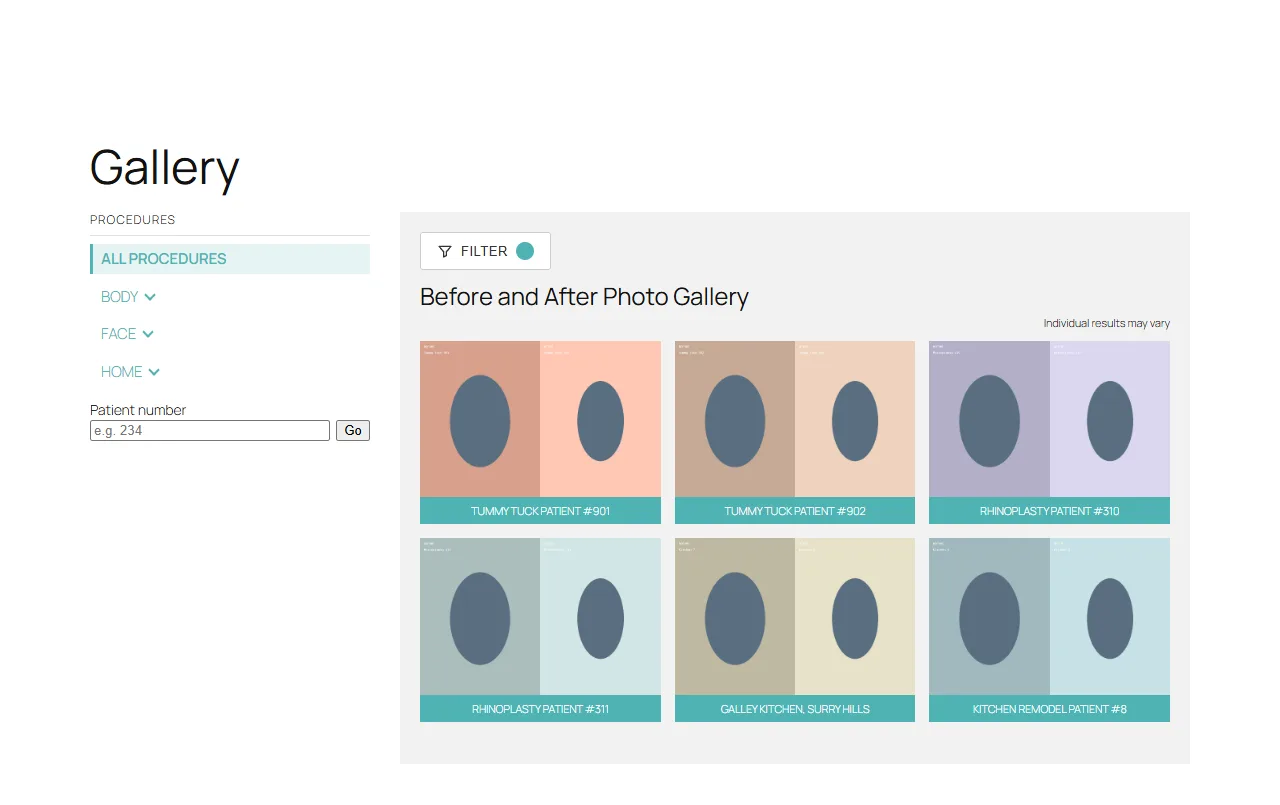
1. The gallery: procedure menu, filter bar and the grid of before and after cards. 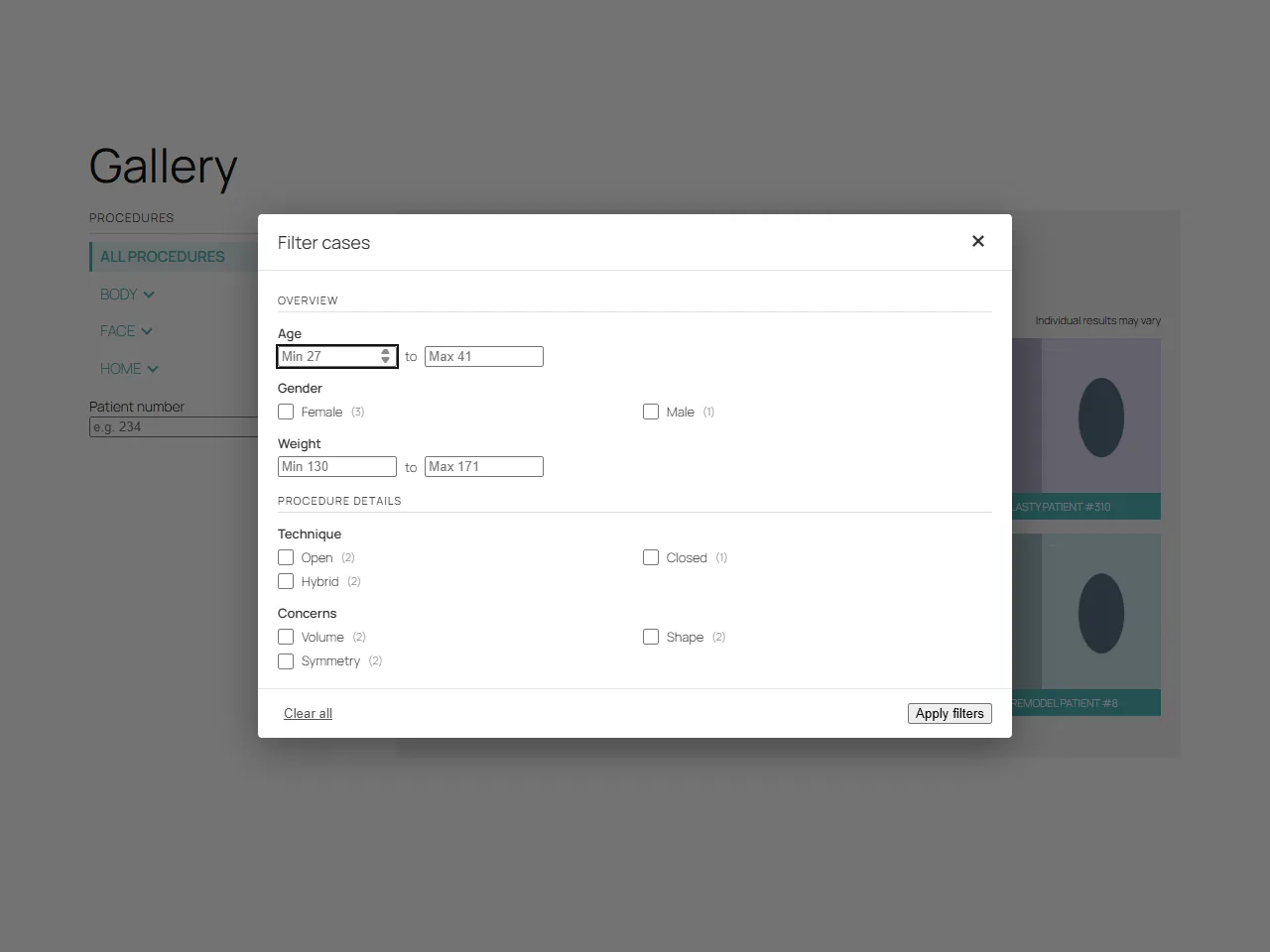
2. The filter dialog, built from the case fields you defined. 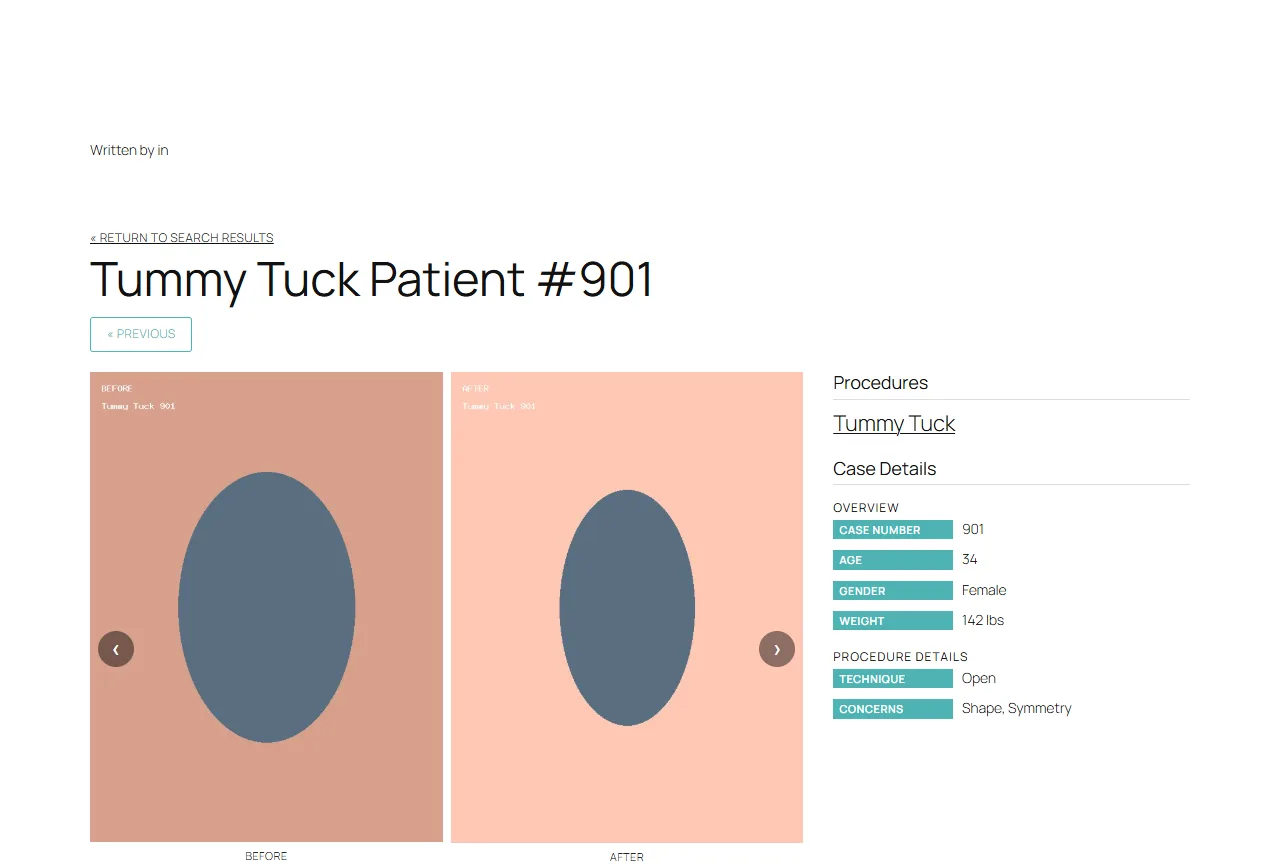
3. One case: before and after pairs beside the case details. 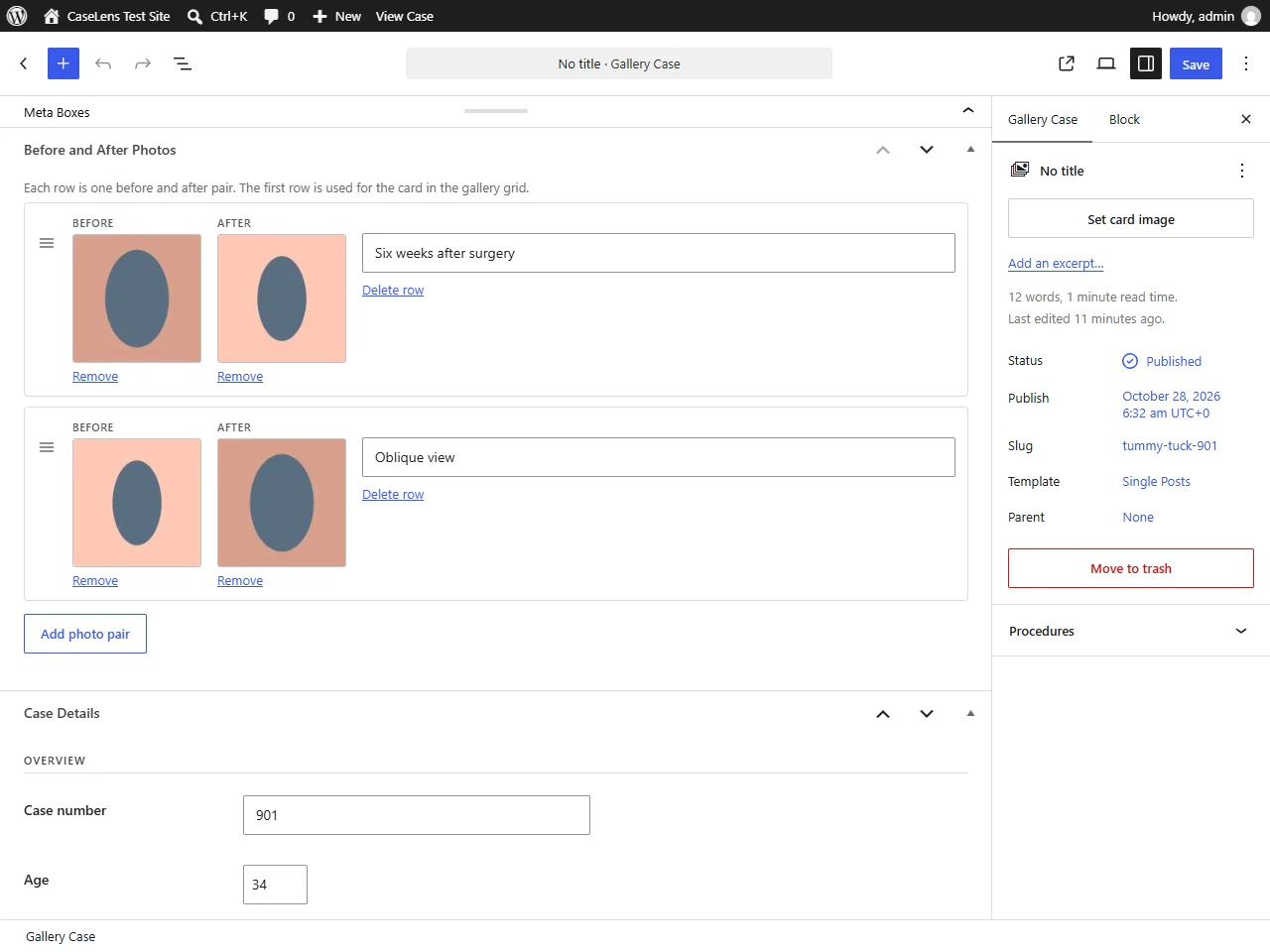
4. The case editor, with photo pairs and detail fields. 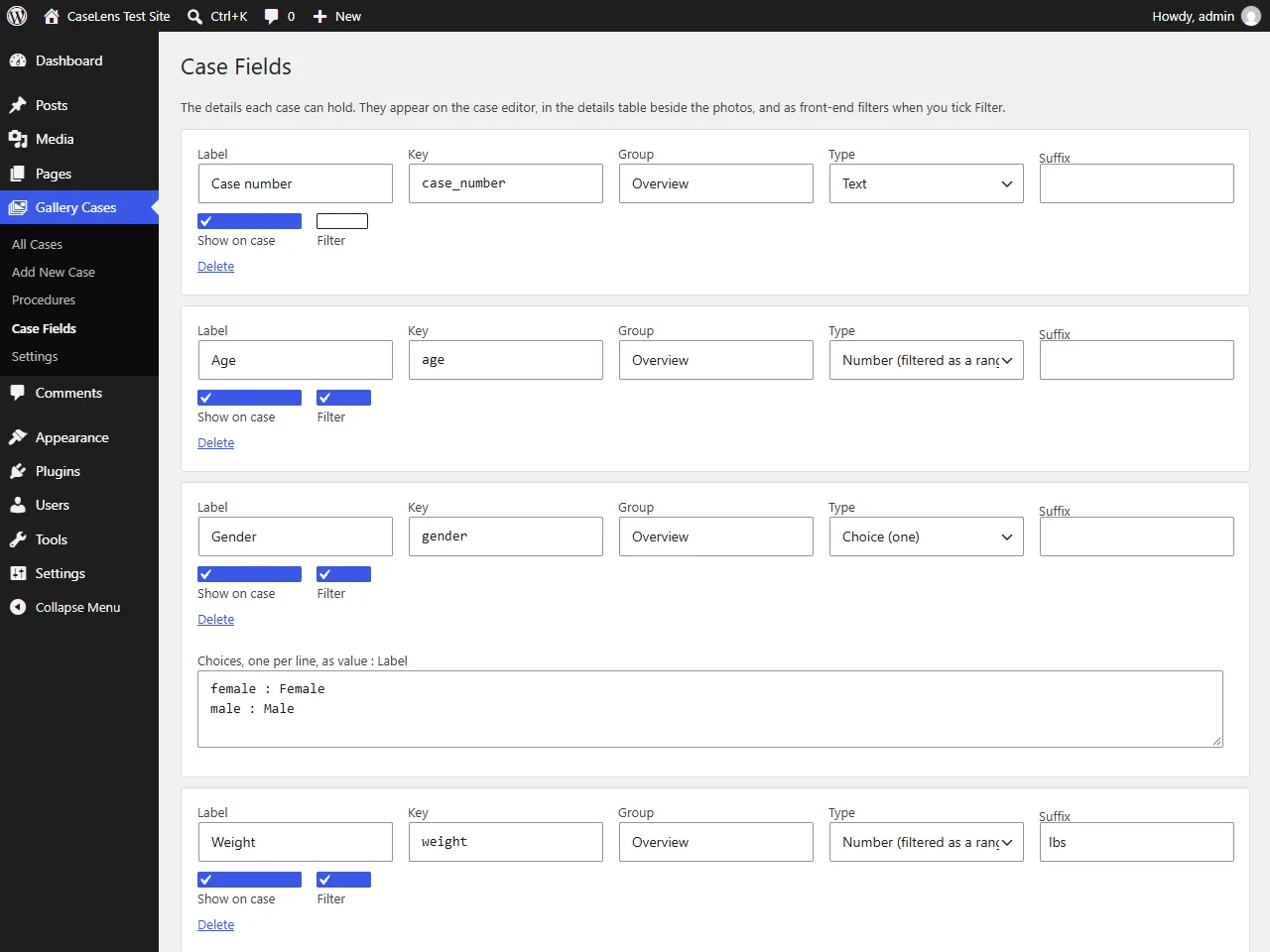
5. The Case Fields screen. 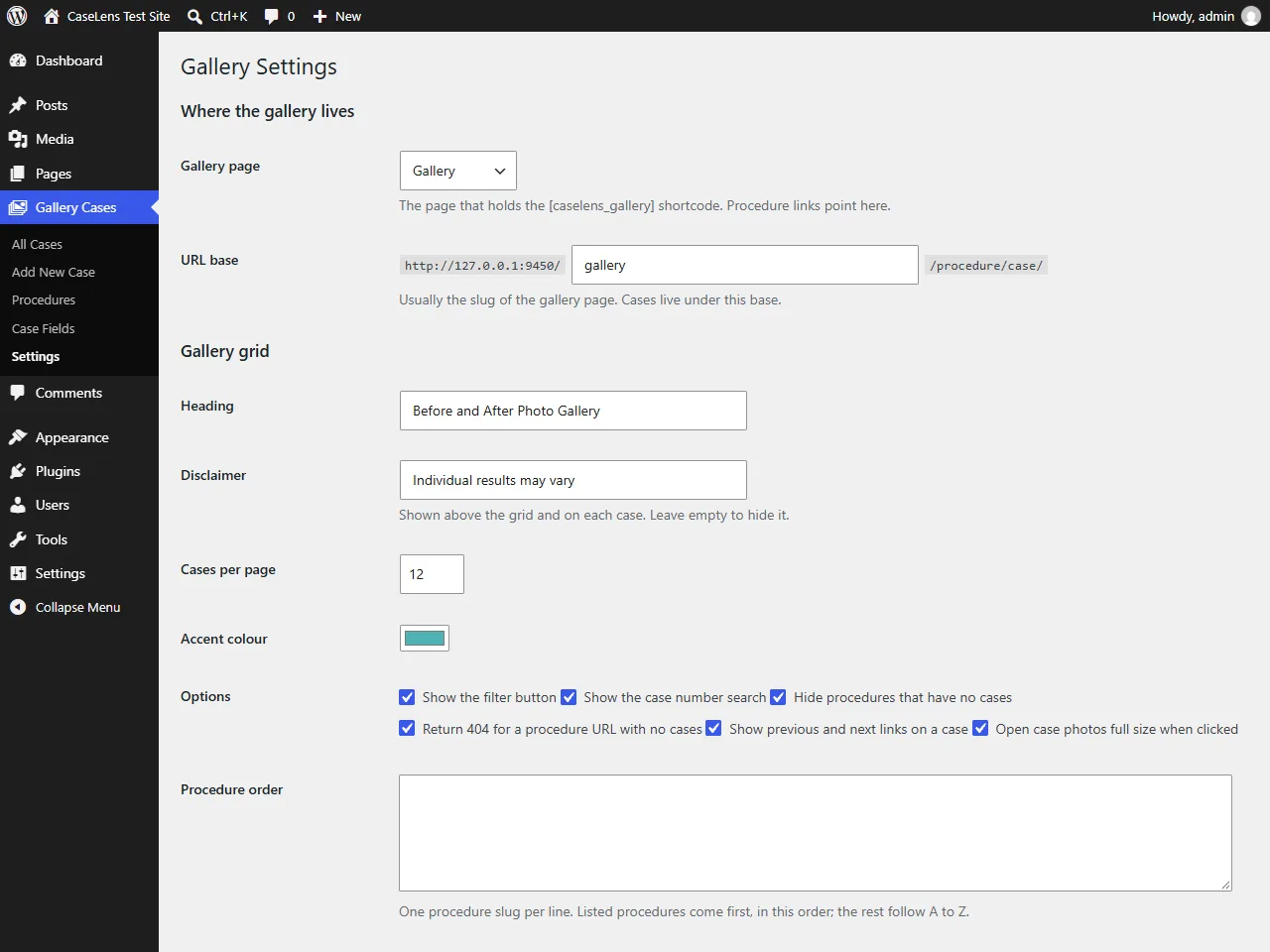
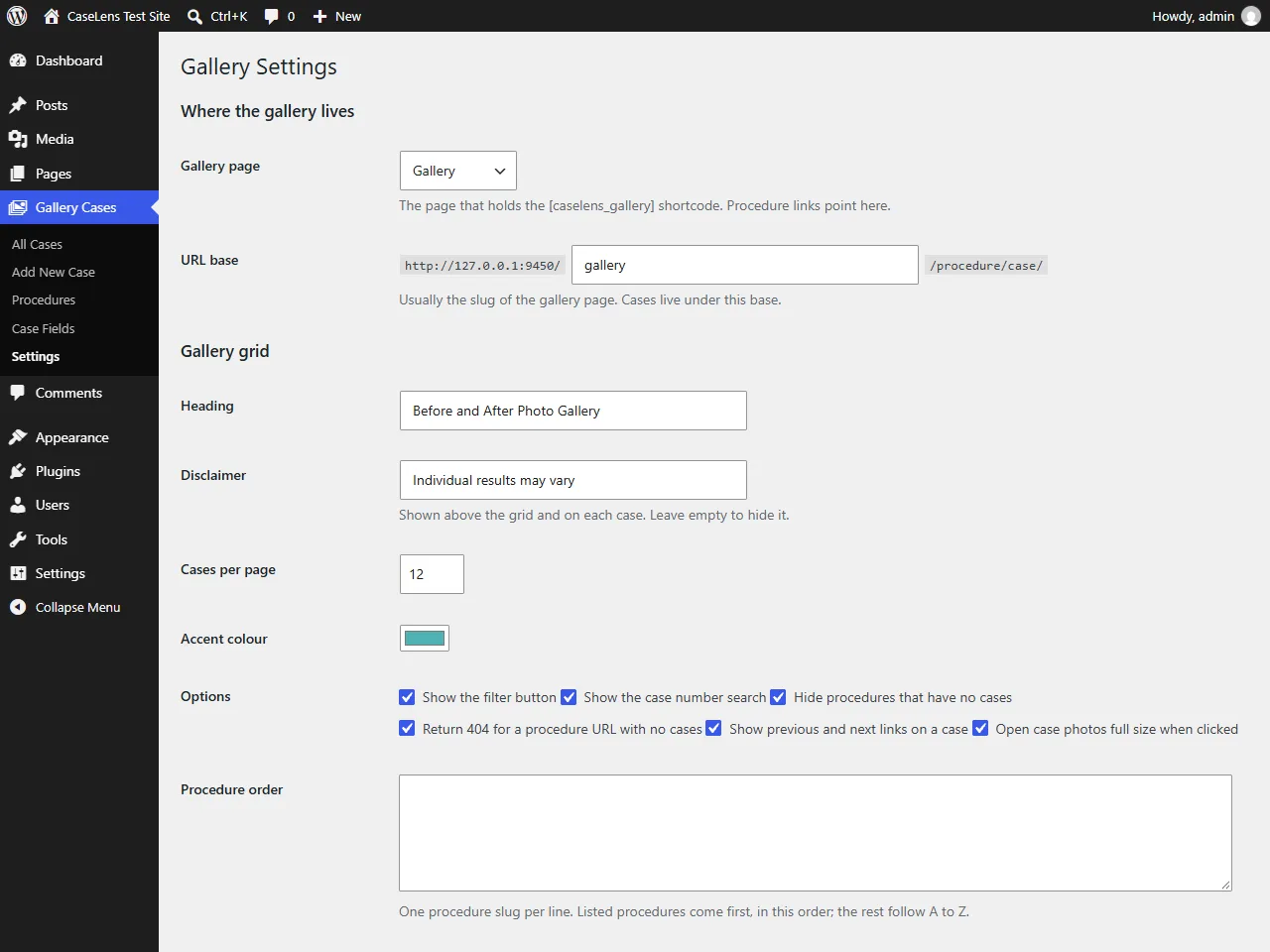
6. Gallery settings.
Use cases
A clinic's results gallery
Group cases by procedure, record details such as age, technique or implant type, and let patients filter to cases like their own. Each case gets its own page and a disclaimer that individual results may vary.
A trade or renovation portfolio
Show kitchens, bathrooms or gardens before and after, grouped by job type, with fields for suburb, budget or timeframe that visitors can filter by.
Replacing a custom field and page builder setup
If your gallery is held together by Advanced Custom Fields and a page builder, CaseLens does the same job on its own, with fewer plugins to update and nothing tied to the theme.
A gallery that ranks
Every procedure gets a real URL with its own title, description and canonical tag, and empty procedures return 404 by default, so thin pages stay out of Google.
How to install CaseLens
Get the plugin from GitHub
Clone the repository into wp-content/plugins/, or download it and place the folder there. The folder must be named caselens-before-after-gallery, because the text domain depends on it.
Activate it
Open the Plugins screen in WordPress and activate CaseLens Before and After Gallery.
Open your new gallery page
On activation the plugin creates a page called Gallery holding the [caselens_gallery] shortcode, and points its settings at that page.
From a terminal, in your WordPress folder:
cd wp-content/plugins
git clone https://github.com/rodneylungayan/caselens-before-after-gallery.git
Quick start
Add your procedures
Gallery Cases, Procedures. Add the groups your cases belong to, and nest them for a two-level menu.
Set up the case fields
Gallery Cases, Case Fields. Set the details each case should hold, and tick Filter on the ones visitors should be able to narrow by.
Add your first case
Gallery Cases, Add Case. Assign procedures, add before and after pairs, fill in the details and publish.
Check the gallery page
Visit /gallery/ on your site to see the result.
Fine-tune the settings
Gallery Cases, Settings for the URL base, wording, accent colour and grid options.
The shortcode
Put the gallery on any page with [caselens_gallery]. You can place several on one page, and each runs on its own.
| Attribute | Default | What it does |
|---|---|---|
procedure | none | Show only one procedure, by slug |
per_page | 12 | Cases per page, from 3 to 60 |
columns | 3 | Grid columns, from 1 to 6 |
sidebar | yes | Show the procedure menu |
filters | yes | Show the filter button |
search | yes | Show the case number search |
heading | from settings | Heading above the grid |
[caselens_gallery procedure="tummy-tuck" sidebar="no" columns="2"]
[caselens_gallery per_page="24" filters="no"]
Clean URLs
With the URL base set to gallery, older query-string links 301 redirect to these.
| URL | What it shows |
|---|---|
/gallery/ | Every case |
/gallery/tummy-tuck/ | The gallery filtered to one procedure |
/gallery/tummy-tuck/tummy-tuck-901/ | One case |
For developers
Change the generated title and description of a procedure page with the caselens_procedure_meta filter:
add_filter( 'caselens_procedure_meta', function ( $meta, $term ) {
	$meta['title'] = $term->name . ' Results | My Clinic';
	return $meta;
}, 10, 2 );
Three read-only REST routes serve published cases only:
| Route | Parameters |
|---|---|
GET /wp-json/caselens/v1/cases | procedure, number, page, per_page, f[key][], r[key][min|max] |
GET /wp-json/caselens/v1/filters | procedure |
GET /wp-json/caselens/v1/procedures | none |
curl "https://example.com/wp-json/caselens/v1/cases?procedure=tummy-tuck&r[age][min]=40"Before you go live
Pick field keys before you enter data
Values are stored per key. Rename a label freely, but changing a key makes existing cases look empty for that field.
Set procedures before you share a case
A case with no procedure stays at /gallery/case-slug/. Once you assign one, its URL moves under the procedure.
Keep the page slug and URL base the same
If the base is gallery, the gallery page should live at /gallery/. They are separate settings, so check them after changing either.
Published cases are public
Make sure you have consent before publishing patient photos, and keep identifying detail out of file names and alt text.
Questions about CaseLens
- Is CaseLens free?
- Yes. It is free and open source under the GPL-2.0-or-later licence, the same licence as WordPress itself.
- Do I need Advanced Custom Fields or a page builder?
- No. The plugin is self-contained. Case fields, photo pairs, the gallery and the case layout are all its own.
- Can I change the layout?
- Yes. Copy templates/gallery.php or templates/single-case.php into a caselens folder inside your theme and edit the copy. If your theme has its own single-caselens_case.php, that takes over entirely.
- What are the case fields for?
- They are the rows in the details table beside the photos, and they are what the filter dialog is built from. Choice fields become checkbox lists with counts, and number fields become a minimum and maximum.
- Does the gallery work without JavaScript?
- Yes. The first page of cases and the whole procedure menu are rendered by PHP as ordinary links. JavaScript adds the filter dialog, Load more and switching procedures without a reload.
- Does it work with Yoast SEO?
- Yes. Procedure pages get a generated title, description and canonical URL, and when Yoast SEO is active these go through its own filters, so nothing is duplicated.
- Will deleting the plugin delete my cases?
- No, not unless you ask it to. Deleting the plugin removes only its settings and field definitions, unless you tick the delete everything box under Settings, Uninstalling first.
- Can I use it on a multisite network?
- Yes. Activate it per site. Each site keeps its own cases, fields and settings, and uninstalling cleans up every site in the network.